Introduction
What Windows VPS hosting is and why businesses/developers choose it
A Windows VPS server is a virtual private server that runs the Windows operating system. It provides dedicated resources, full administrative control, and a familiar Windows environment for users who rely on native Windows tools and applications. You get isolation from other tenants, predictable performance, and the ability to install Windows-specific software without the constraints of shared hosting.
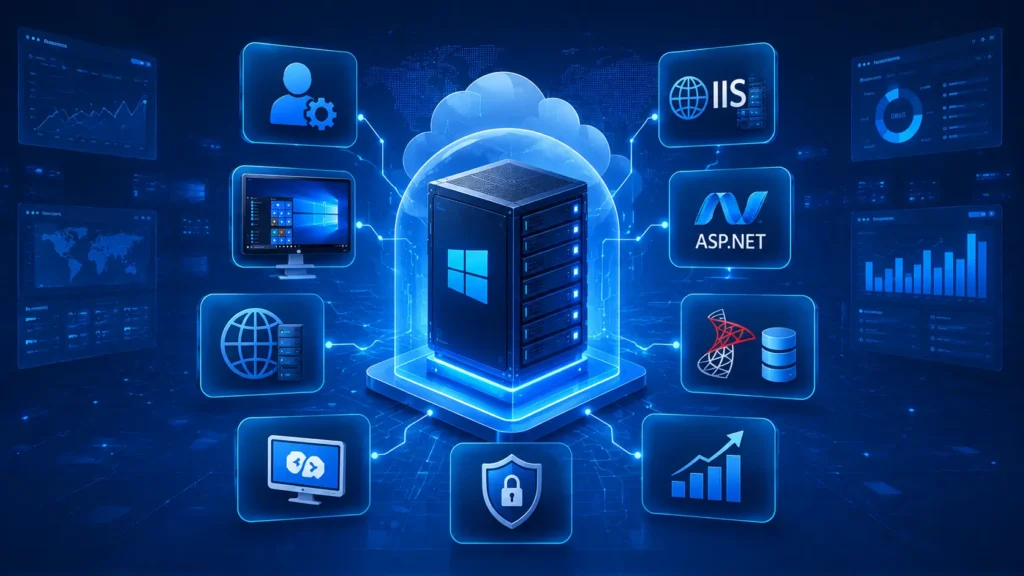
Businesses and developers choose Windows VPS hosting to host Microsoft-focused workloads with reliable remote access. It supports familiar development stacks, including IIS, ASP.NET, and MS SQL, while offering scalable resources to match growth and traffic patterns.
Brief mention of use cases: web hosting, app development, remote work, gaming servers, RDP access
Key use cases include:
- Web hosting for ASP.NET and Windows-based web apps with IIS
- Application development and testing environments that require Windows tools
- Remote work setups accessed via RDP servers for team productivity
- Gaming or game-server hosting that demands stable Windows hosting and low latency
- SQL Server databases and other Windows-native services requiring dedicated resources
What Is a Windows VPS Server?
Definition: virtual private server running Windows OS
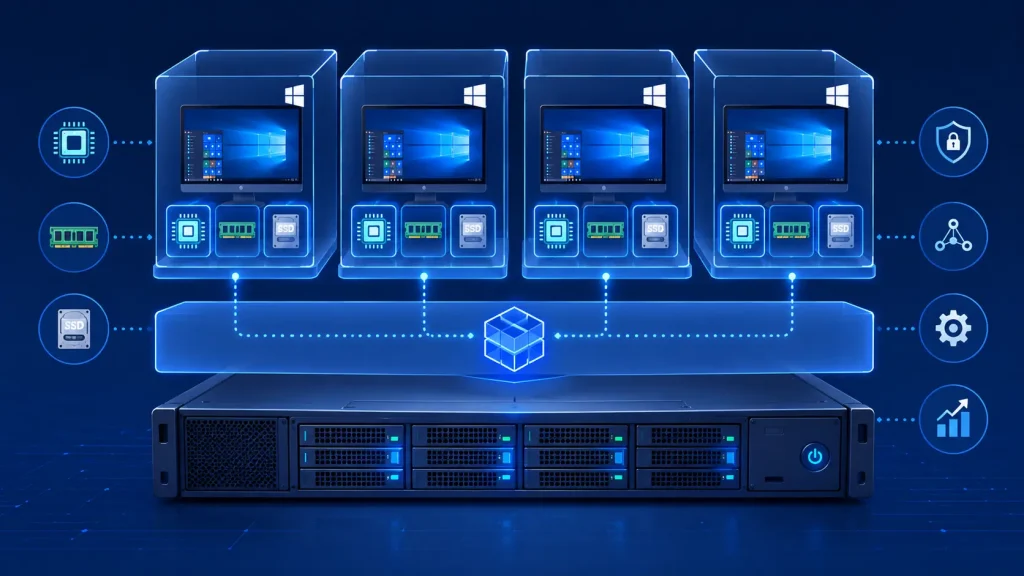
A Windows VPS is a virtual machine that runs the Windows operating system on a shared physical server. It provides dedicated CPU, RAM, and storage resources, plus the familiar Windows environment for management and application compatibility.
How it differs from shared hosting and dedicated servers
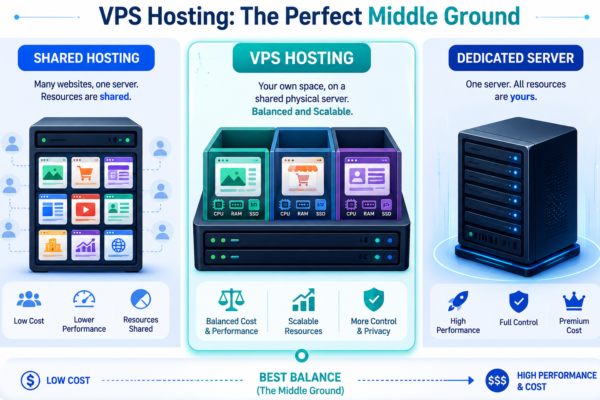
Compared with shared hosting, a Windows VPS offers isolation from other tenants and guaranteed resources. It also grants full admin control over the server configuration. Compared with a dedicated server, a VPS delivers a similar Windows experience with a smaller, cost-efficient resource bundle and scalable upgrades.
How it differs from Linux VPS
A Windows VPS supports Windows-specific software stacks such as IIS, ASP.NET, and MS SQL Server. Linux VPS hosts open source stacks by default. The Windows VPS includes native Windows tools and often requires Windows licenses and updates as part of the service.
Role of virtualization technology (Hyper-V, KVM, etc.)
Virtualization abstracts hardware to create multiple isolated environments. Hyper-V commonly powers Windows VPS on Windows-based platforms, delivering reliable performance and tight integration with Windows features. Other technologies like KVM or VMware may be used in alternative setups, each influencing management, snapshots, and live migration options.
Why Choose Windows VPS Over Other Hosting Types
Full administrative (root/admin) control
You gain complete autonomy over the server environment. Install, configure, and optimize software stacks to meet your exact needs. This level of control enables precise security hardening, custom monitoring, and tailored patch management without vendor-imposed restrictions.
Native support for Windows-based software (.NET, ASP.NET, MS SQL, etc.)
Windows VPS runs the full Windows software ecosystem, including .NET and ASP.NET applications and Microsoft SQL Server. It avoids compatibility layers and lets you deploy with familiar tooling and licensing models.
Familiar GUI environment via RDP server access
RDP provides a GUI-driven management experience. You can work as if on a local Windows machine, speeding up routine tasks, migrations, and debugging.
Better isolation and performance vs. shared hosting
VPS isolation shields your workloads from other tenants, delivering predictable performance. Dedicated or shielded CPU, RAM, and I/O reduce the risk of noisy neighbors affecting your apps.
Scalability compared to dedicated servers
Windows VPS scales resources on demand with minimal downtime. Upgrade CPU, RAM, and storage to match growth or seasonal traffic without a full hardware move.
What is an RDP Server?
An RDP (Remote Desktop Protocol) Server is a Windows-based server that allows users to securely connect to and control a remote computer or virtual private server (VPS) over the internet. Developed by Microsoft, RDP provides a graphical desktop interface, enabling users to access applications, files, and system resources as if they were physically sitting in front of the machine.
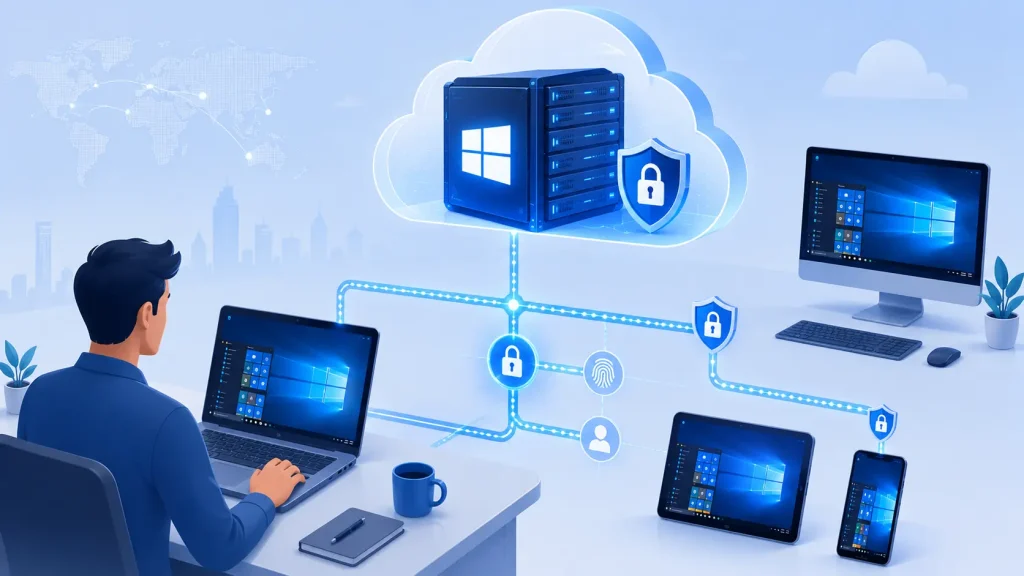
An RDP server is commonly hosted on a Windows VPS or dedicated Windows server and is widely used by businesses, developers, IT administrators, remote employees, and traders who need secure, always-on access to a Windows environment.
Benefits of Using an RDP Server
1. Access Your Desktop from Anywhere
With an RDP server, you can securely log in to your Windows environment from virtually any location using a laptop, desktop, tablet, or smartphone. This makes remote work and business continuity much easier.
2. Familiar Windows Experience
Unlike command-line-only environments, an RDP server provides a full Windows graphical user interface (GUI), making it easy to install applications, manage files, and configure settings without requiring advanced technical knowledge.
3. Improved Productivity
Users can run business applications, development tools, Microsoft Office, and other Windows software on a high-performance remote server without relying on the specifications of their local device.
4. Secure Remote Access
Most hosting providers offer security features such as: Encrypted RDP connections, Multi-factor authentication (2FA), Windows Firewall integration, IP whitelisting, Custom RDP ports, Account lockout policies, etc. These features help protect remote sessions from unauthorized access.
5. Centralized Data Management
Instead of storing business data on multiple local computers, files and applications remain on the server. This simplifies collaboration, backup management, and data security.
1. Assess Your Workloads and Resource Needs
Measuring CPU, RAM, and storage requirements
List the core workloads you plan to run on the Windows VPS and map peak usage to resource needs. Examine task profiles such as web requests, database queries, and background jobs to estimate CPU and RAM load. Use a 1.5x to 2x peak scenario to account for traffic spikes.
Translate those estimates into concrete figures. Define a target range of cores, memory, and storage IOPS that align with your apps’ performance goals. Favor NVMe SSD storage for faster boot times and snappier disk I/O, particularly for databases and file-heavy workloads. If you run multiple services, consider separate storage volumes to improve I/O isolation.
Understanding bandwidth and I/O needs for Windows apps
Assess outbound and inbound bandwidth requirements based on expected traffic, API calls, and remote work activity. Plan for burst capacity if you run content-heavy sites or real-time collaboration apps. Choose plans with predictable allowances or scalable bandwidth to avoid surprises.
Evaluate I/O characteristics like random versus sequential access, read/write ratios, and average latency. Applications such as SQL Server or IIS-hosted apps benefit from higher IOPS and lower latency. Align your plan with current needs and a scalable path to growth to minimize migrations.
2. Compare Windows VPS Plan Tiers
Common VPS configurations (vCPU, RAM, storage) and what they imply
Plans typically scale by vCPU count, memory, and storage type. More vCPUs improve parallel processing for IIS hosting and SQL workloads. Additional RAM boosts caching, session handling, and multitasking during peak traffic. Storage type affects latency and reliability; NVMe SSDs deliver faster boot and I/O performance. Choose tiers that match your expected load and provide room to grow without immediate migrations.
Common tiers often align with these ranges:
- 2-4 vCPUs with 4-8 GB RAM for small sites or development environments
- 6-8 vCPUs with 16-32 GB RAM for mid-sized apps and databases
- 12+ vCPUs with 32 GB+ RAM for heavier workloads, multiple sites, or QA environments
Storage configurations vary as well. Expect 100-200 GB or more of NVMe SSD, with options for expandable volumes or separate data disks to isolate I/O for databases and web apps.
How to read plan specs from providers like NVMe SSD and scaling options
When reviewing plans, translate specifications into real-world impact. NVMe SSD denotes fast read/write and lower latency, improving responsiveness under load. Be mindful of burst credits or baseline I/O metrics if provided, as these affect peak performance periods.
Check how scaling works:
- Vertical scaling: upgrade CPU, RAM, or storage without migrating to a new server
- Horizontal considerations: whether the provider supports adding more NIC bandwidth or additional volumes
- Downtime policy during upgrades: some providers allow live upgrades with minimal or no downtime
Also verify any limits such as data transfer caps, latency guarantees, and whether licenses for Windows Server editions (2019 or 2022) come bundled or require separate purchases.
3. Evaluate Performance Features and Storage
NVMe SSDs and Windows workload performance
NVMe SSDs reduce boot times and improve overall responsiveness for Windows apps. Fast disk I/O helps IIS hosting, backups, and caching perform more predictably under load.
Aim for NVMe storage with adequate IOPS and low latency. Ensure there is enough headroom for peak activity across your applications without bottlenecks.
I/O metrics to prioritize for ASP.NET, SQL Server, and mail workloads
ASP.NET and IIS workloads benefit from steady I/O throughput and low latency. SQL Server performance hinges on high sustained IOPS for reads and writes, impacting query times and transaction rates. Mail servers require reliable, consistent storage to avoid delays.
When comparing plans, look at sustained IOPS, latency, and burst capability. Favor storage configurations that allocate dedicated paths for databases and mail services to preserve performance during spikes.
4. Assess Reliability and Uptime Guarantees
SLA significance for business continuity
Your service level agreement defines the expected availability and reliability of your Windows VPS. A solid SLA translates to predictable performance and clear remedies if levels slip. Look for guarantees stated as a percentage and the corresponding credits or mitigations. This helps you plan continuity with confidence.
Beyond the uptime figure, assess data center redundancy, network paths, and incident response times. A robust SLA should spell out maintenance windows, disaster recovery commitments, and notification practices so you can plan around updates without surprises.
Backup strategies: automatic backups, snapshots, and recovery
Regular backups are essential for fast recovery from human error, software faults, or security incidents. Favor providers that offer automatic backups with configurable frequency and retention. Confirm backups are stored separately to reduce risk from a single data center issue.
Snapshots capture point-in-time states of your VPS and can be valuable before major changes. Ensure quick restoration, testing environments, and rollback options are supported. Know restoration times and any potential data loss in edge cases to align recovery objectives with business needs.
5. Security and Compliance Considerations
Security measures for Windows VPS (firewalls, DDoS protection, isolation)
Security starts at the network edge and moves inward. A hardened Windows VPS setup should include a robust firewall that filters inbound and outbound traffic based on least-privilege rules. DDoS protection helps absorb large traffic spikes that could disrupt services. Isolation at the virtualization layer, such as strong VM boundaries and secure hypervisors, prevents cross-tenant access. Regular OS patches are essential to close known vulnerabilities.
- Firewall and network ACLs to restrict access by IP and port
- Dedicated DDoS protection with traffic scrubbing where available
- Strong isolation between tenants via Hyper-V or equivalent technology
- Automated OS security updates and vulnerability scanning
Also consider two-factor authentication for management interfaces, secure RDP configurations, and the ability to disable unnecessary services to reduce the attack surface. Encryption at rest and in transit should be standard, with TLS used for control planes and management portals.
Data protection and regional compliance relevance in Nepal
Data protection strategies should align with the sensitivity of the data you process. Regular backups, encrypted snapshots, and clearly defined retention periods minimize risk during incidents. Regional considerations, such as local data residency and cross-border data transfer rules, influence where you store backups and how you access them.
- Data residency options for regional centers can help meet local expectations
- Retention and restoration policies should be documented and tested
- Compliance mapping to applicable standards guides security controls
6. Management Model: Managed vs Unmanaged
Pros and cons of managed hosting for Windows environments
Managed Windows hosting offloads routine administration to the provider. This can save time and reduce in-house expertise requirements. It often includes patching, monitoring, and baseline security hardening as part of the package.
Benefits include predictable support, faster incident response, and smoother upgrades. You also gain access to provider-validated configurations tailored for Windows workloads like IIS, ASP.NET, and SQL Server.
However, managed services can limit customization freedom and may come with higher ongoing costs. Some providers impose strict change control processes that slow out-of-band updates. You also rely on the vendor for configuration details, which can affect optimization for specialized apps.
When to choose unmanaged with your own admin expertise
Unmanaged Windows VPS suits teams with strong system administration capabilities and specific compliance needs. It gives full control over security policies, software stacks, and update timing. This path is often cost-efficient for large or complex deployments when you have dedicated admins.
With unmanaged setups, you handle patching, hardening, backups, and monitoring tools. You can tailor performance tuning for databases, web services, and custom apps. It works well when you require rapid rollouts or custom integrations that managed plans do not readily support.
Consider a hybrid approach if you want baseline protection from a managed plan but preserve admin control for critical components. This gives balance between reliability and customization.
7. Migration, Support, and Local Optimization
Free migration and onboarding processes
When you move to a Windows VPS, a smooth transition matters as much as the new environment. Providers should offer complimentary migration assistance to transfer existing workloads without downtime. A structured onboarding path helps you validate configurations, restore services quickly, and confirm that security baselines are in place from day one.
During onboarding, expect a clear checklist covering data migration, firewall rules, and access provisioning. A test migration window lets you verify performance before going live. This reduces the risk of surprises after cutover.
24/7 support, knowledge base, and Nepal-specific optimization
Around-the-clock technical support is essential for global teams operating Windows workloads. Look for multi-channel access, including live chat, ticketing, and phone support in multiple time zones. Response times should align with the severity of the issue and your service level agreement.
A robust knowledge base accelerates problem resolution with self-help guides, how-tos, and troubleshooting steps. For Nepal-focused optimization, regional best practices matter. Expect guidance on latency-aware networking, local data residency considerations, and deployment patterns that harmonize with regional connectivity and compliance needs.
- Onboarding checklists and predefined migration workflows
- 24/7 support with clear escalation paths
- Regional optimization tips for Nepal and nearby regions
FAQ
What is the difference between Windows VPS and RDP?
A Windows VPS provides the virtual hosting environment with dedicated resources, while RDP is the protocol you use to access the server’s desktop interface. In short, a VPS is the host, and RDP is the way you interact with it.
Can I upgrade my Windows VPS plan later?
Yes. Providers typically offer on‑demand upgrades for CPU, memory, and storage. Upgrades can often be performed with minimal downtime or during scheduled maintenance. Check licensing implications and upgrade paths with your provider.
Is Windows VPS hosting secure for business use?
Security depends on proper hardening and ongoing updates. Look for layered protections such as firewalls, DDoS safeguards, regular OS patches, endpoint protection, and encrypted backups. An incident response plan and access controls improve resilience.
How much RAM/CPU do I need for a Windows VPS?
That depends on your workloads. Light tasks can run on 2 or 4 GB RAM, while web apps, databases, or remote work may require 8, 16 GB, or more. Start with a baseline from your application profile and scale as needed.
Does MeroVPS offer a Windows VPS server in Nepal?
Yes. MeroVPS provides Windows VPS options with regional considerations to support Windows hosting in Nepal and other areas, pairing local access with global infrastructure.
Conclusion
Choosing Windows VPS hosting means aligning resources, security, and management with your workloads while avoiding overprovisioning. Plan for growth by mapping needs to real-world performance and reliability requirements.
When you’re ready to move forward, map these criteria to your shortlist and seek transparency on resource allocations, upgrade paths, and support SLAs. This approach helps you land a Windows VPS that meets current needs and scales with your business.