
Introduction
Nepalese business landscape and the need for cloud-based accounting
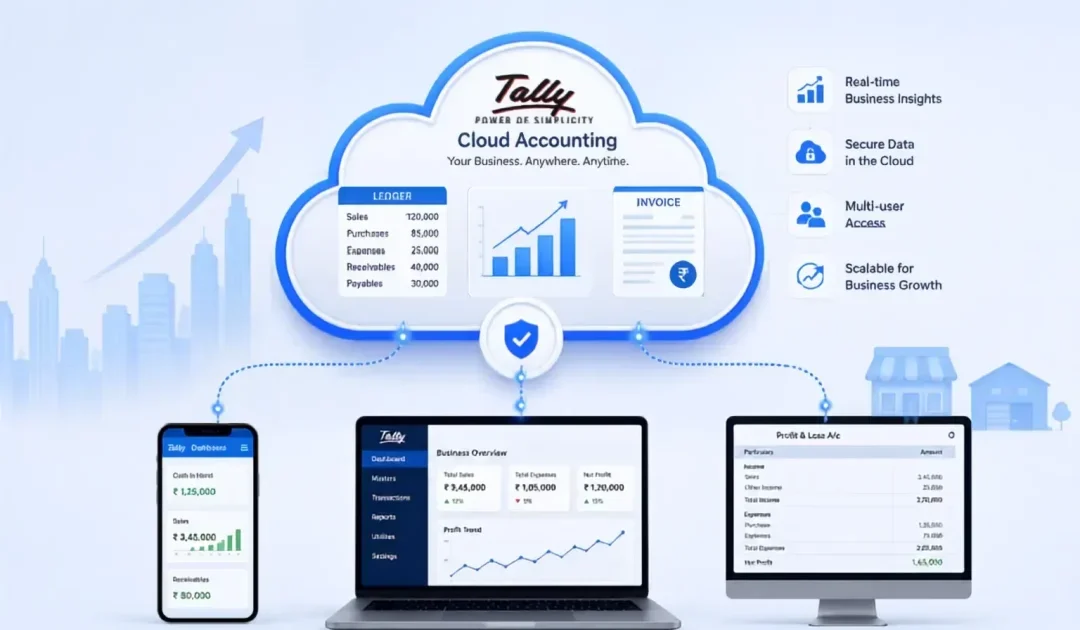
The shift toward cloud-based tools is transforming how small and mid-sized enterprises operate. In Nepal, a growing base of SMEs and trading firms seeks modern solutions to manage accounting, inventory, and regulatory reporting without substantial upfront IT investments.
This approach offers greater flexibility, improved data accuracy, and the ability to collaborate across remote locations. Cloud-based accounting platforms provide scalable options aligned with the country’s expanding commerce while reducing dependence on local hardware and on-site servers.
Overview of Tally on Cloud
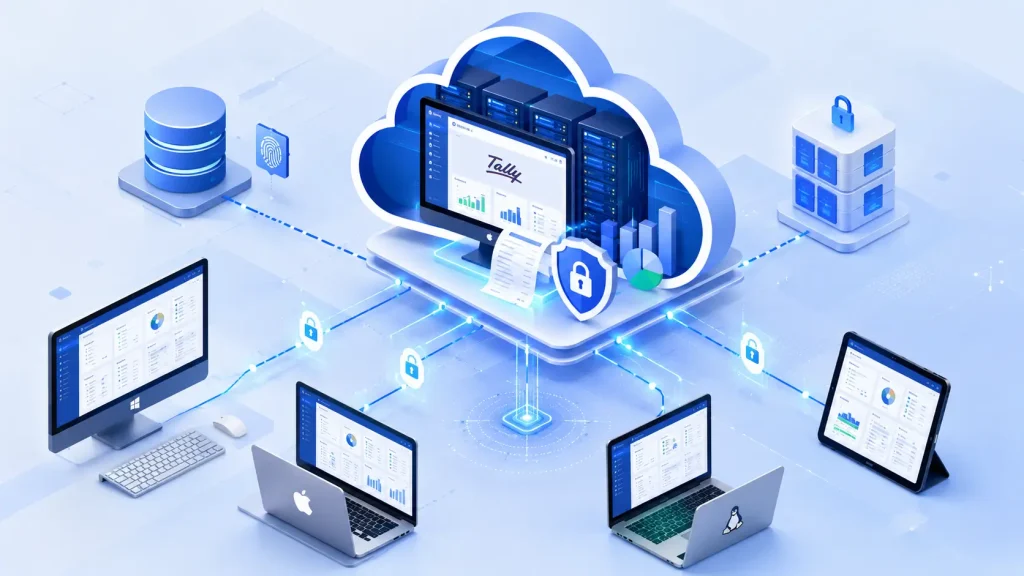
Tally on Cloud provides a secure, cloud-hosted version of TallyPrime that enables access to accounting data from multiple locations and devices. It combines core TallyPrime capabilities such as accounting, inventory, and financial reporting with remote access, removing the need for local servers.
Organizations ranging from sole proprietors to multi-branch enterprises can leverage cloud hosting to maintain continuity, protect data, and support real-time workflows.
Key Benefits of Tally on Cloud
Several advantages are relevant for Nepalese and global users alike:
- Access from any device with an internet connection, supporting multi-location operations.
- Reduced upfront costs by eliminating the need for on-site servers and complex IT maintenance.
- Real-time collaboration among accountants, auditors, and staff across sites.
- Enhanced data security with automated backups and robust access controls.
- Improved business continuity through reliable disaster recovery capabilities.
1. Real-time Accessibility Across Devices
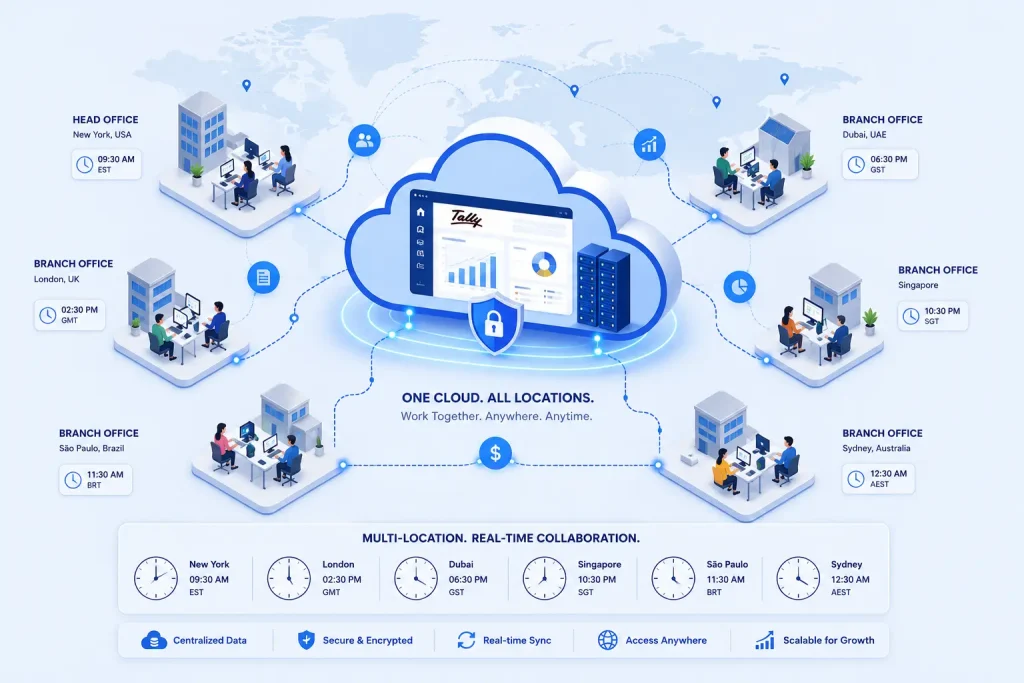
Access from anywhere, anytime and on any device
Cloud hosting enables TallyPrime to operate beyond a single workstation. Users can securely access financial data and current ledgers through a browser or native apps on Windows, Linux, or macOS devices.
This flexibility supports international teams and field staff who may work from home, client sites, or remote offices, ensuring that critical numbers remain up to date regardless of location.
Real-time synchronization ensures updates are reflected promptly for all users, reducing latency between data entry and reporting and supporting timely decision-making. The cloud layer manages translations between local device environments and the centralized database, preserving a consistent user experience across devices.
Impact on remote work and multi-location operations
For firms with multiple branches or dispersed client portfolios, cloud access reduces the need for physical document sharing or in-person meetings. Teams can collaborate during overlapping business hours, and time-zone differences no longer create data silos.
This capability is particularly valuable for auditors, accountants, and consultants who review client data, perform cross-branch reconciliations, or prepare consolidated reports.
Cloud access also supports flexible staffing. Temporary staff or contractors can be granted role-based permissions to view or modify specific datasets without duplicating installations or exposing sensitive information.
The centralized system helps ensure that participants operate from a single, auditable version of the books, enhancing transparency and governance across the organization.
2. Secure Cloud Hosting with Nepal-focused Reliability
Local data residency and compliance considerations
Data residency remains a critical factor for Nepalese businesses, with emphasis on ensuring that records stay within jurisdictional boundaries to support timely regulatory reporting.
Providers should offer regional data centers or nearby facilities that balance latency with governance requirements while maintaining clear audit trails for Nepalese authorities. This approach enhances transparency and facilitates verification when required.
In addition to data location, reporting formats and date conventions should align with local standards to streamline submissions to tax authorities and regulators.
Service-level agreements and documented data handling policies build trust with customers who operate across multiple sites and require consistent governance over the data lifecycle from creation to deletion.
Security measures: backups, redundancy, and access controls
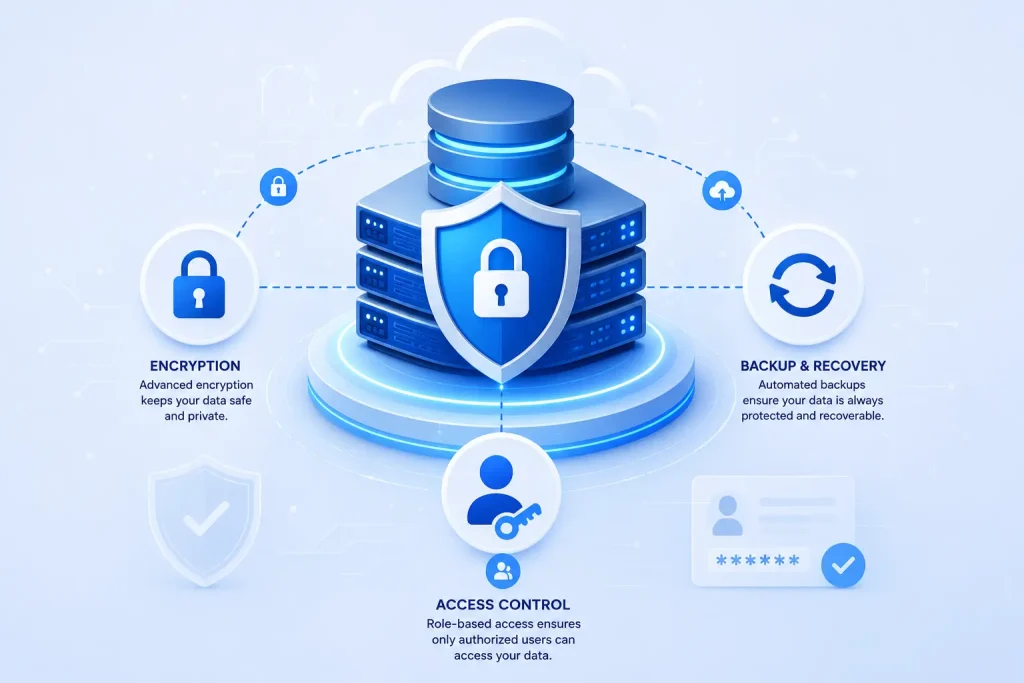
Protection relies on layered security addressing data at rest and in motion. Automated, encrypted backups subjected to regular testing help verify recoverability without compromising performance.
Redundant infrastructure across multiple availability zones reduces the likelihood of service disruptions, while access controls enforce least privilege and maintain detailed audit trails for user activity.
For teams managing sensitive financial information, dual-factor authentication and encrypted connections are essential. Role-based permissions restrict data access to authorized personnel, and centralized monitoring provides timely alerts for unusual activity.
With these safeguards, Nepalese businesses can sustain reliable operations and stay compliant even during remote work arrangements or disruptions.
3. Seamless Migration and Data Integrity with Free Migration
Migration to a cloud-hosted Tally environment can be executed with minimal disruption when planned carefully. The process typically combines preparation, secure data transfer, and verification to ensure a smooth transition from on-premises or legacy setups to Tally on Cloud. A well-managed migration safeguards data integrity while preserving business continuity during the switch.
Step-by-step migration process
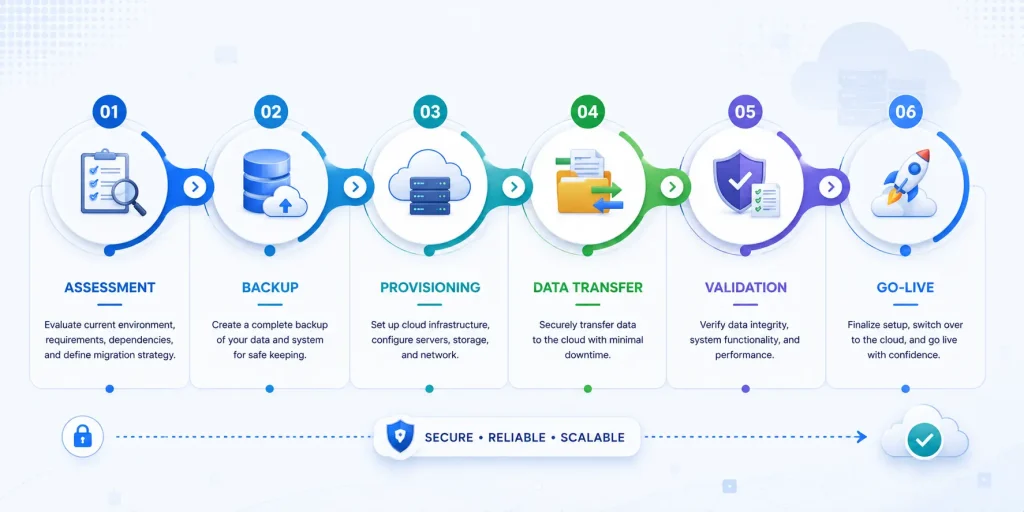
- Assessment and scoping: Identify the current Tally version, data volume, customizations, and the desired cloud configuration to determine migration requirements.
- Pre-migration backups: Generate validated backups to provide a restore point in case of any issues during transfer.
- Environment provisioning: Create the target cloud workspace, assign appropriate access roles, and configure network settings for secure connectivity.
- Data transfer: Move Tally data and configurations to the cloud environment using proven transfer methods that protect data during transit.
- Validation and reconciliation: Compare source and destination datasets to confirm completeness and accuracy, then address any discrepancies.
- Go-live and monitoring: Activate the cloud instance for live operations and monitor performance, access logs, and user activity for a defined window.
Minimizing downtime and ensuring data integrity
- Scheduling: Align migration windows with low-activity periods to reduce business impact.
- Incremental transfer: Segment large datasets to shorten transfer chunks and simplify verification.
- Continuous validation: Run parallel checks during cutover to detect inconsistencies early.
- Rollback readiness: Maintain a tested rollback plan and backups to revert if critical issues arise.
- Post-migration support: Provide rapid-access assistance for users during the initial days of the cloud environment.
4. Automated Backups and Disaster Recovery
Backup schedules and retention policies
Automated backups run without manual intervention, ensuring that the latest financial data is protected on a consistent cadence. Schedules are configurable to support daily, hourly, or near-real-time capture based on business requirements. Retention windows balance storage costs with the need to restore data from specific points in time, while aligning with local regulatory reporting and audit timelines.
RPO/RTO benefits for Nepalese businesses
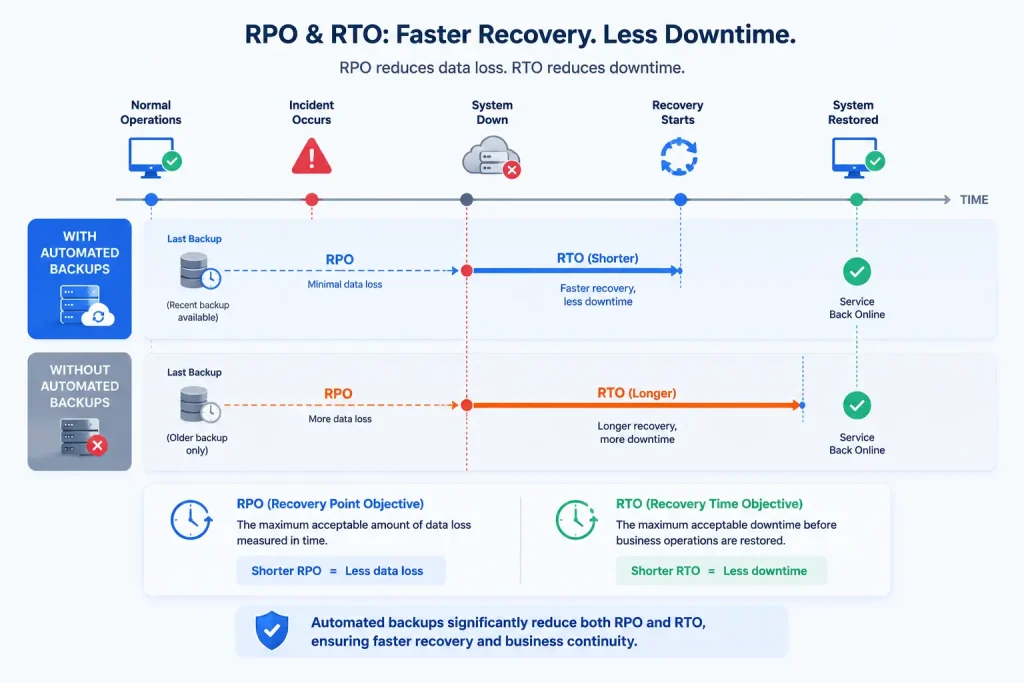
Recovery Point Objective (RPO) and Recovery Time Objective (RTO) are critical metrics in a cloud hosting environment. A favorable RPO limits data loss during incidents, and a favorable RTO reduces downtime during restoration.
Automated backups help achieve tighter RPOs, while a robust disaster recovery strategy supports rapid resumption of services with minimal operational impact. This is particularly valuable for operations facing power irregularities or regional outages, enabling consistent financial reporting and client communications.
5. Real-time Collaboration for Teams and Partners
Multi-user access and role-based permissions
Real-time collaboration is a core capability of Tally on Cloud, enabling multiple users to work within the same accounting environment without sequential handoffs.
Role-based permissions determine who can view, edit, or approve entries, ensuring sensitive data remains accessible only to authorized personnel. This framework supports clear accountability and reduces errors that can arise from overlapping workstreams.
Streamlined collaboration for small firms and CA practices
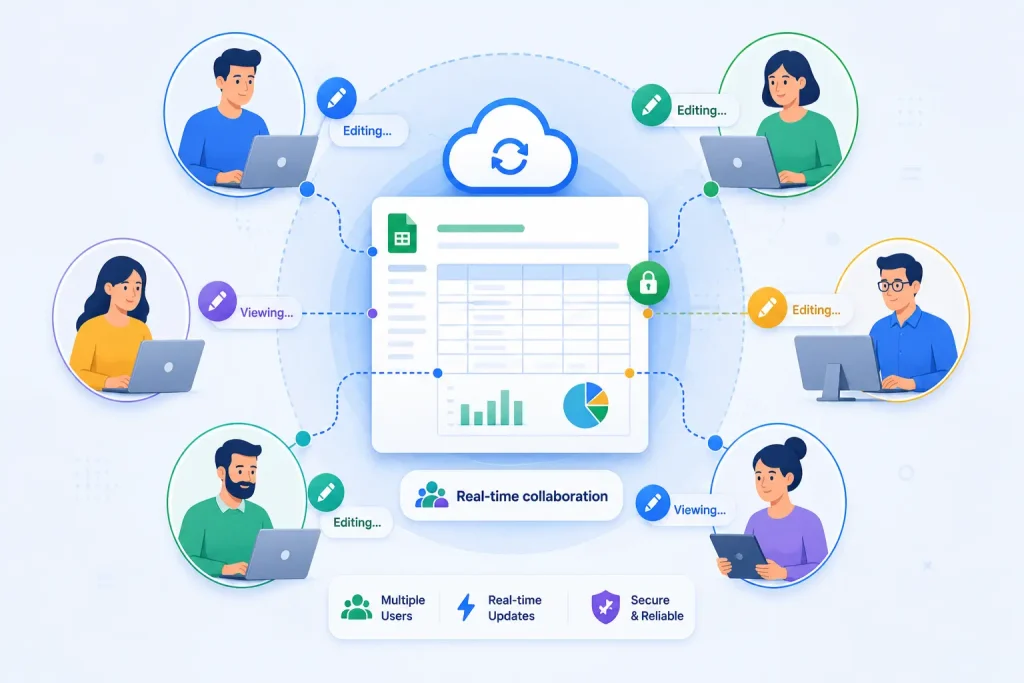
For small firms and chartered accountant practices, cloud access simplifies coordination with clients and colleagues. Shared access to ledgers, inventory, and financial reports accelerates period-end processes, reconciliations, and audit preparation.
Clients can contribute data or approve statements through secure access, while internal teams maintain oversight and consistency across engagements. The outcome is a more efficient workflow with fewer version conflicts and clearer audit trails.
6. Cost Optimization Without Hardware Investments
Eliminating on-site infrastructure and related costs
Adopting Tally on Cloud removes the need for on-premises servers, dedicated VPNs, and routine hardware maintenance. This shifts capital expenditure into a predictable operating expense, enabling resources to be directed toward core business activities rather than IT upkeep.
Cloud hosting providers typically handle provisioning, software updates, and security patches, reducing the burden on local IT teams.
Total cost of ownership comparison with on-premises setups
| Cost Component | On-Premises (Traditional) | Cloud Hosting (Tally on Cloud) |
| Initial hardware purchase | High capital expenditure for servers, storage, and networking equipment | Minimal or no upfront hardware investment |
| Software licensing and updates | Separate perpetual licenses and periodic upgrade costs | Included or covered under predictable subscription plans |
| IT maintenance and staffing | Ongoing internal support required | Managed by the hosting provider with flexible support options |
| Power, cooling, and space | Continuous operational overhead | Eliminated or substantially reduced |
| Downtime risk and recovery | Extended downtimes can incur costs during outages | Resilient infrastructure with managed backups and DR options |
| Total cost of ownership (TCO) | Often higher over multi-year periods due to capex and maintenance | More predictable, typically lower long-term costs with scalable capacity |
Cloud hosting converts variable IT expenses into predictable operating costs aligned with activity. This approach supports Nepalese firms expanding into new branches or services, helping preserve cash flow while enabling scalable growth. The pricing model facilitates budgeting accuracy and reduces financial disruption during expansion.
7. Compliance and Localized Support for Nepalese Taxation
IRP/IRD invoicing and Nepalese statutory alignment
Cloud hosting for TallyPrime can be configured to mirror Nepal’s invoicing requirements, including IRP/IRD formats where applicable.
By aligning data fields, dates, and tax codes with local statutory guidelines, the software supports accurate reporting and reduces manual rework during compliance cycles. This alignment helps ensure that numerical entries and summaries remain consistent with Nepalese regulatory expectations across reporting periods.
Support for VAT, reports, and local date formats
For businesses engaged in value-added tax or similar local taxation schemes, Tally on Cloud can generate VAT-compliant reports and exportable statements.
The platform accommodates Nepalese date formats and localized report templates, enabling seamless sharing with auditors and tax authorities. By centralizing fiscal documentation in a cloud environment, small firms can maintain up-to-date records without maintaining separate paper trails.
- Localized tax codes and ledger categories can be mapped to Nepal’s VAT and taxation rules.
- Reports can be configured to match statutory submission requirements, enhancing audit readiness.
- Secure access controls help ensure that only authorized personnel can modify tax-related data.
| Aspect | Benefit in Nepal | Configuration Considerations |
| IRP/IRD invoicing | Streamlined invoicing aligned with local standards, reducing compliance gaps. | Enable Nepal-specific invoice templates and tax codes within TPCA or a cloud environment. |
| VAT reporting | Accurate, ready-to-file VAT reports across multi-branch operations. | Set up VAT rates, ledgers, and report formats that reflect Nepalese requirements. |
| Date formats | Consistent presentation across documents and reports. | Apply local date formats in all printouts and exports for compliance clarity. |
FAQ
Is Tally on Cloud different from regular Tally?
Tally on Cloud provides a hosted instance of TallyPrime that runs on remote servers and is accessed via the internet. Traditional Tally is installed on a local computer or network of computers. The cloud version supports concurrent access from multiple devices and locations, with centralized data storage and managed backups.
Is Tally on Cloud secure for financial data?
Security is maintained through encrypted connections, access controls, and continuous monitoring. Data resides in a managed environment with regular backups, reducing the risk of loss from device failure or theft.
Can multiple users access Tally on Cloud at the same time?
Yes, real-time collaboration is a core benefit. Authorized users can work simultaneously from different locations, with role-based permissions to control data visibility and modification rights.
Do I need strong internet to use Tally on Cloud?
A reliable internet connection is essential for smooth data entry, real-time updates, and timely reporting. Some providers offer offline workflows or local caching for specific tasks, but core functionality requires connectivity.
Can I migrate my existing Tally data to the cloud?
Migration typically involves transferring data from the current Tally installation to the cloud environment. A migration plan should include data validation, incremental synchronization during cutover, and post-migration checks to ensure data integrity.
How much does Tally on Cloud typically cost?
Costs are generally structured as a subscription covering software access, hosting, backups, and support. Pricing varies by user count, storage, and service level, providing predictable budgeting and avoiding large upfront investments.
Conclusion
The shift to cloud-based accounting tools offers Nepalese businesses and international readers a clear path to enhanced accessibility, security, and cost efficiency.
Tally on Cloud consolidates core financial processes into a centralized platform that supports multi-location access, enabling flexible work arrangements and broader partner collaboration without the burden of on-site hardware management.
As organizations assess hosting options, considerations such as uptime reliability, data sovereignty, and migration ease remain pivotal. The appropriate Tally on Cloud configuration can simplify daily tasks, reinforce regulatory readiness, and support sustainable growth across diverse markets.
